 Feny
FenyThe scheduling problem
Clients need a discreet way to request a first appointment, while the practitioner needs protected time between sessions and a manageable schedule.
Feny · Booking software by business type
Offer consultation times, manage session lengths and organize return appointments in Feny with a clear public booking page.
Starter: 2 months free, no card required.
Included in Starter: up to 3 team members, 25 active services and 1 location.
Built around your daily work
Clients need a discreet way to request a first appointment, while the practitioner needs protected time between sessions and a manageable schedule.
Start with clearly named services: Introductory consultation, Individual session, and Follow-up session. Set your actual prices and durations; these examples are suggestions, not a ready-made price list.
Explain the session format and location, publish the appropriate duration and reserve breaks in the schedule. Collect only the contact information needed to arrange the visit.
A practical example
Clients need a discreet way to request a first appointment, while the practitioner needs protected time between sessions and a manageable schedule. Explain the session format and location, publish the appropriate duration and reserve breaks in the schedule. Collect only the contact information needed to arrange the visit.
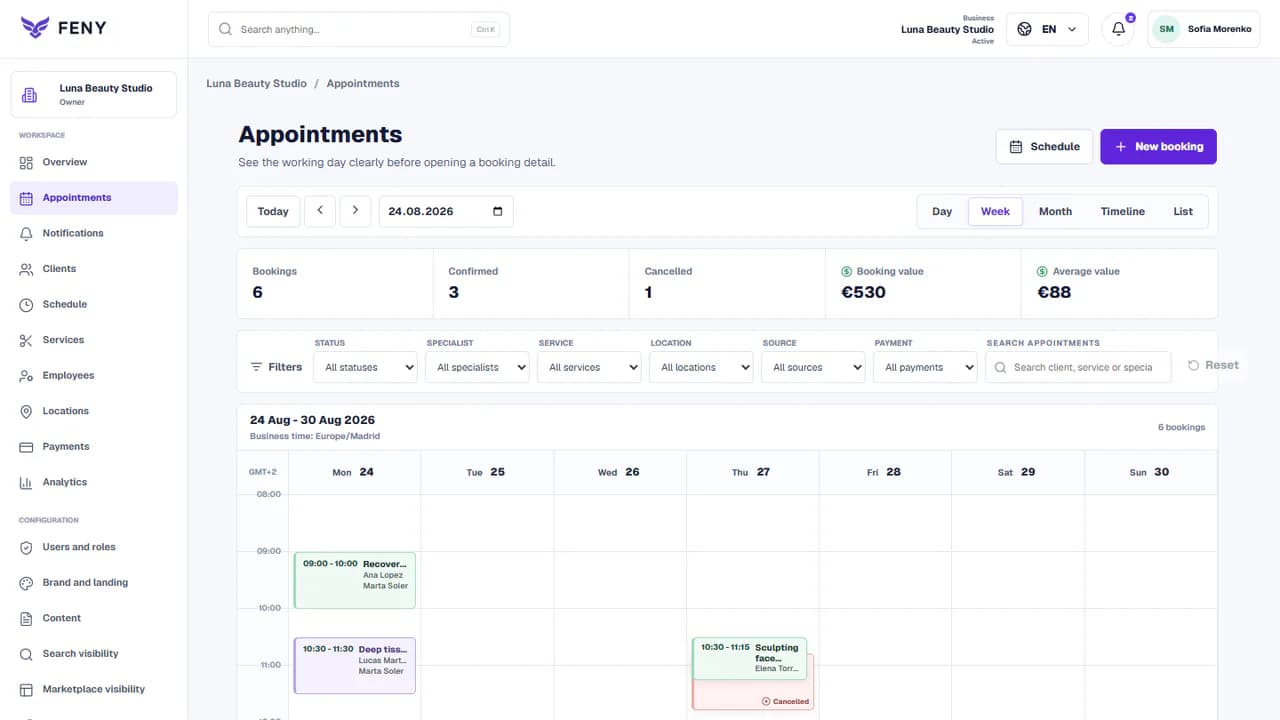
The customer chooses a defined appointment; the team sees the service, time and client in its workspace. Any specialist confirmation described above remains part of your business process.
Add your real services, team and working hours. Review the client journey before publishing.
Read the guideExplain the session format and location, publish the appropriate duration and reserve breaks in the schedule. Collect only the contact information needed to arrange the visit.
Assign each service to the people who deliver it, select the correct location and check working hours, absences and preparation time. Record offline bookings in the same calendar.
Make a test booking on a phone, check the confirmation and review each published language. Share the link only after the service, staff and location match your real operation.
Start with clearly named services: Introductory consultation, Individual session, and Follow-up session. Set your actual prices and durations; these examples are suggestions, not a ready-made price list.
Keep therapy notes and sensitive histories in your designated clinical system. Feny is not a crisis service or a built-in video consultation platform.
Yes. The team can enter appointments in the workspace and keep them connected to the client record. Use the same services and availability rules so offline and online bookings share the calendar.
Let clients choose a service, specialist and available time. Organize staff schedules and appointments in Feny, with a clear booking journey.
Build a public page with your services, team, photos and booking link. Edit the content, review each language and publish when your business is ready.
Keep client details, appointment history and useful notes together. Use Feny to prepare for the next visit and organize everyday client follow-up.
Manage team availability, working hours and absences in Feny. Connect specialists, services and locations to the appointments clients can book.
Starter: 2 months free, no card required.
Create my businessReview current plan limits and terms before publishing. Compare plans →