
Skip to content

Feny · Online booking solutions

Client records connected to the appointments you manage

A calendar tells you when someone is coming. A client record helps you prepare. Feny brings contact information, visit history and notes into your workspace, so client management does not depend on searching through old messages.

Starter: 2 months free, no card required.

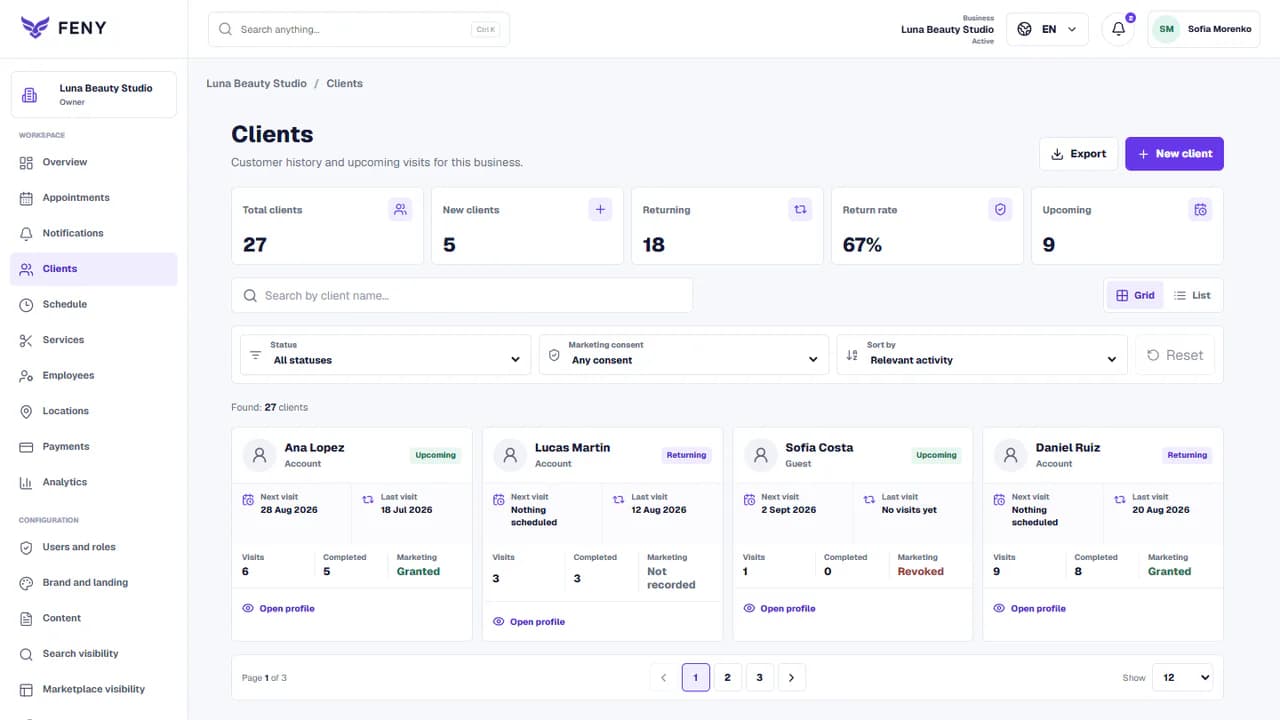
Example Feny workspace. The figures are demonstration data.

Built around your daily work

01

Understand the next visit

Review previous appointments and upcoming bookings before the client arrives. The record gives your team useful context for a returning visitor, while appointment statuses help distinguish completed visits from cancellations.

02

Keep relevant information together

Use client details and notes to record practical information your team needs. Keep entries clear and factual so the next authorized colleague can understand them without repeating the same questions to the client.

03

Organize follow-up with context

Find the client record when someone asks about another visit or a change to an appointment. Review the available contact details and recorded marketing consent before planning any promotional follow-up.

From setup to the first appointment

Add your real services, team and working hours. Review the client journey before publishing.

Read the guide
  1. 1

    Start from your booking workflow

    Prepare services, staff and appointments so client activity has a consistent place in the workspace. Use real contact information and check for an existing client before creating duplicate records.

  2. 2

    Review the client profile

    Open the profile, check contact information and appointment history, and add relevant notes. Separate confirmed facts from assumptions so colleagues can rely on what they read.

  3. 3

    Keep the record useful over time

    Update information when a client reports a change and keep appointment statuses current. Review team access and collect only the information needed for the services you provide.

Questions before you start

Is this a CRM for service businesses?

It supports client management around services and appointments: contact context, visit history and notes. Review the available features against your actual workflow before replacing another business system.

Can I see cancelled appointments as well as completed visits?

Client history can provide appointment context, including recorded statuses. Keep those statuses accurate: an appointment in the calendar is not necessarily a completed visit or evidence that payment has been received.

Does a client record mean I can send marketing messages?

No. Having contact details or a previous booking is not the same as recorded marketing permission. Check the consent information available in the workspace and the requirements for the channel you intend to use.

Booking software by business type

Booking software for hair salons

Organize salon appointments, hairdressing services and staff schedules with Feny. Create a booking website and start with 2 months of Starter, without a card.

Booking software for barbershops

Run a barbershop appointment calendar with Feny. Offer haircuts, beard services and barber selection on your own booking page. Try Starter for 2 months.

Booking software for beauty salons

Manage beauty appointments, treatments and specialists with Feny. Give clients a clear booking page for nails, brows and facial services.

Turn the workflow into a bookable page

Starter: 2 months free, no card required.

Create my businessReview current plan limits and terms before publishing. Compare plans →
Client management for service businesses | Feny