 Feny
FenyA clear choice for each client
Describe what each service includes, who provides it and how much time it needs. Clients can choose their visit with useful information before they reach the calendar.
Feny · Online booking solutions
A client wants an appointment while your team is busy. Give them a direct way to choose a service, a specialist and an available time. Feny brings the booking journey and your business calendar together, using the services and working hours you configure.
Starter: 2 months free, no card required.
Built around your daily work
Describe what each service includes, who provides it and how much time it needs. Clients can choose their visit with useful information before they reach the calendar.
Set working hours and assign staff to the right services and locations. Your booking options depend on that setup, so a clean schedule starts with accurate business information.
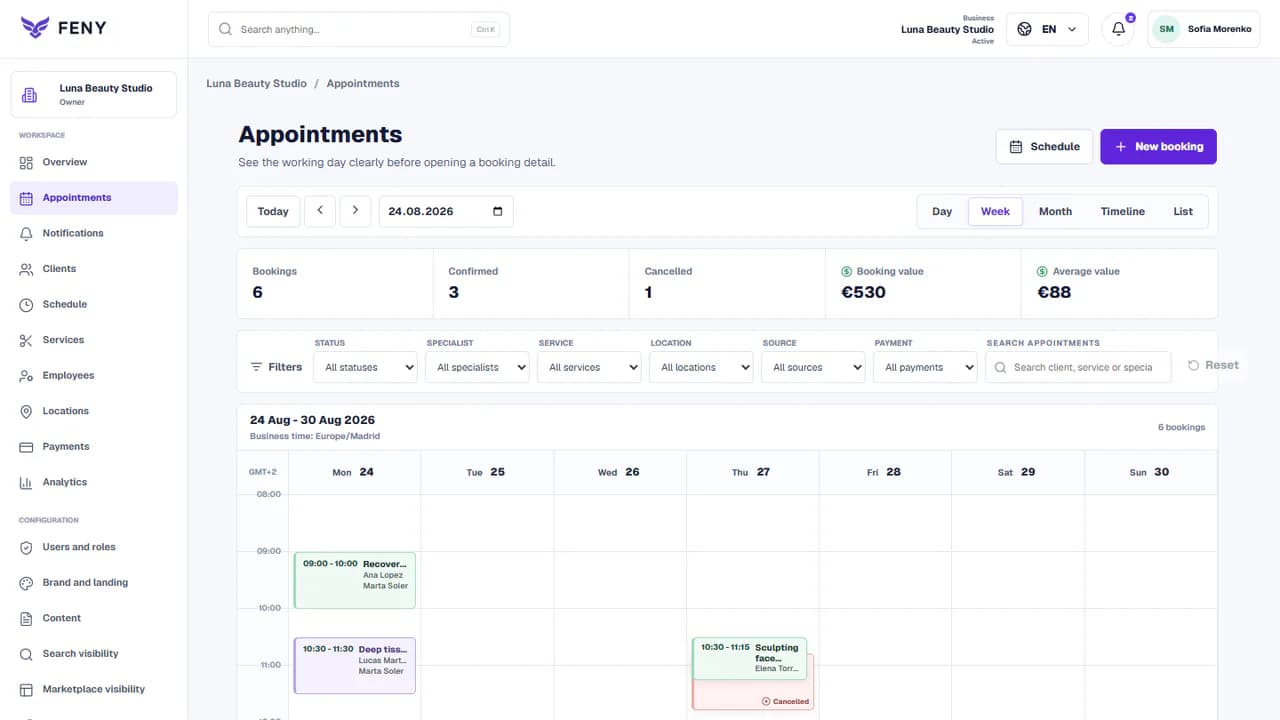
See scheduled visits in your workspace and handle changes as the day develops. Keep the appointment status current so your team can distinguish upcoming, completed and cancelled visits.
Add your real services, team and working hours. Review the client journey before publishing.
Read the guideEnter real services, confirm their duration and price, and assign the specialists who can perform them. Check each location before opening it to clients.
Add the hours your team can accept appointments and record planned absences. Review your booking rules and the timezone used by the business.
Follow the public journey as a client: select a service, specialist, date and time. Confirm the appointment reaches your calendar, then share the link.
Yes, the booking journey can offer eligible specialists for the selected service. Set up their service assignments, location and schedule first; a staff profile alone does not establish availability.
You can share the public booking link from your website, social profile or a message. Clients follow that link to the booking journey; adding a link does not require replacing your main website.
Check service details, staff assignments, working hours, timezones and booking rules. Make a test appointment and review it in the workspace. Publish only when the information accurately reflects your business.
Organize salon appointments, hairdressing services and staff schedules with Feny. Create a booking website and start with 2 months of Starter, without a card.
Run a barbershop appointment calendar with Feny. Offer haircuts, beard services and barber selection on your own booking page. Try Starter for 2 months.
Manage beauty appointments, treatments and specialists with Feny. Give clients a clear booking page for nails, brows and facial services.
Organize massage appointments, session lengths and therapist availability with Feny. Create a booking page for your massage or wellness practice.
Manage personal training appointments and trainer availability with Feny. Publish your sessions, location and booking link for individual clients.
Starter: 2 months free, no card required.
Create my businessReview current plan limits and terms before publishing. Compare plans →