 Feny
Haircut, beard or both
List separate services and a clearly defined haircut-and-beard combination. Each option needs its own price and enough time for the actual work.
Feny · Booking software by business type
Give every haircut and beard appointment a clear place in the day. Feny helps a solo barber or a team publish services, manage availability and let clients book their preferred professional.
Starter: 2 months free, no card required.
Included in Starter: up to 3 team members, 25 active services and 1 location.
Built around your daily work
List separate services and a clearly defined haircut-and-beard combination. Each option needs its own price and enough time for the actual work.
Connect services with the barbers who perform them. Clients can choose a professional instead of asking who is working by message.
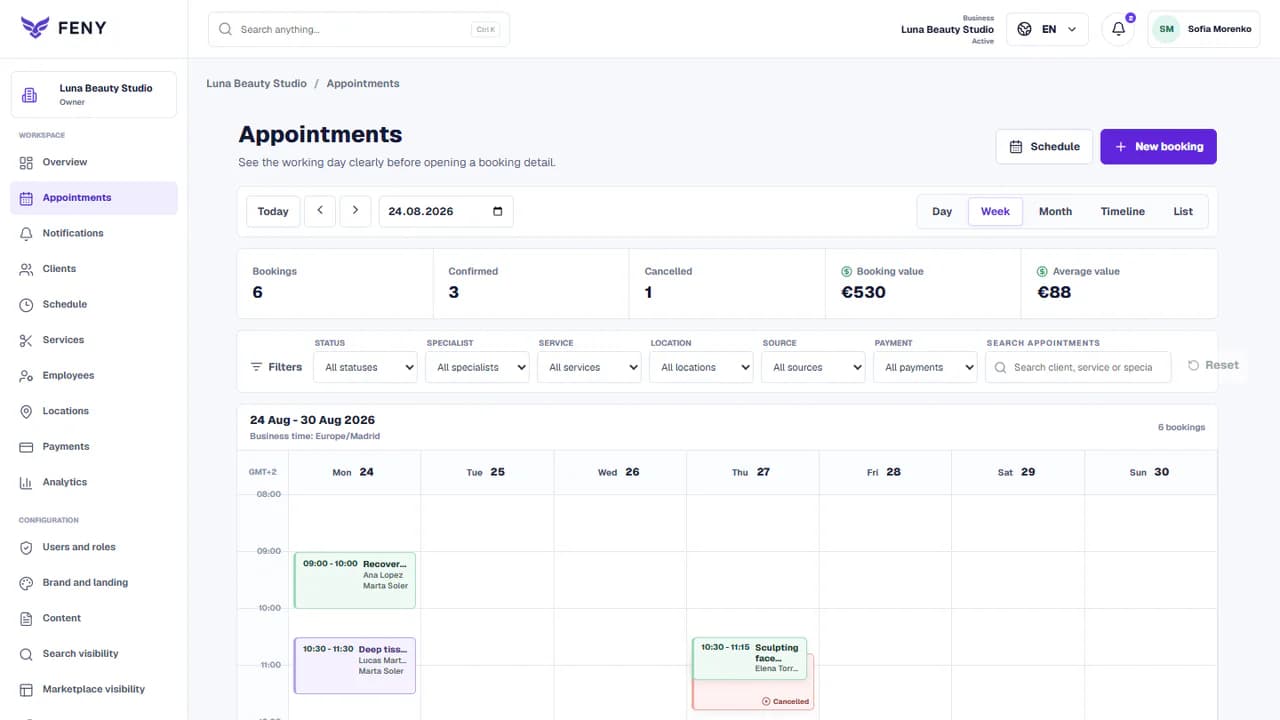
Use the workspace to manage bookings and review client visits. Keep availability aligned when you also accept customers who arrive without booking.
Feny in practice
A client asks for an evening haircut in a chat while another chooses the same barber online. The team needs one place to check and record both requests.
Worked setup example, not a customer success claim. Durations and quantities below are illustrative; adapt them to your business.
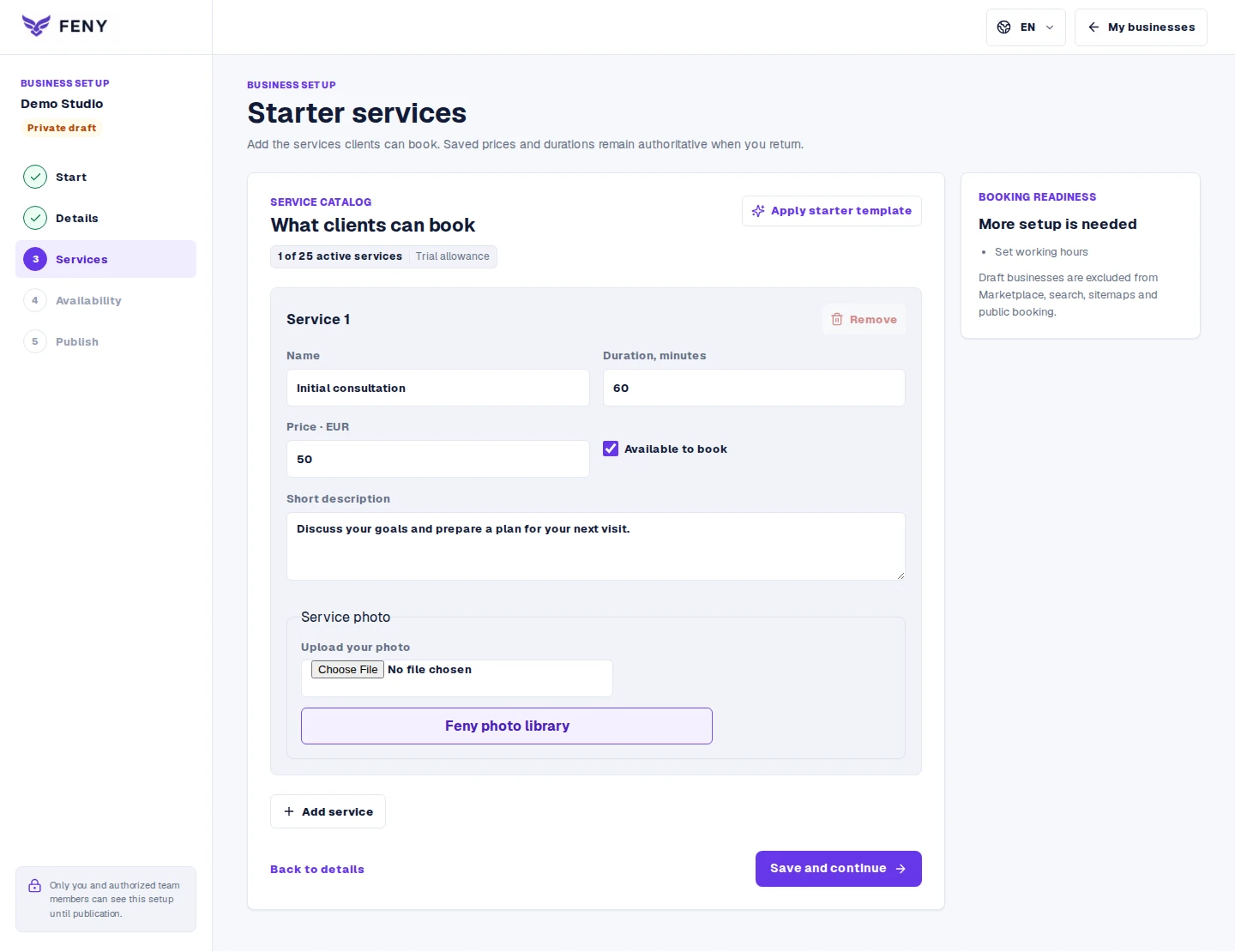
For example: haircut — 30 minutes, beard — 20 minutes, haircut with beard — 50 minutes. Give the combined service its full working time.
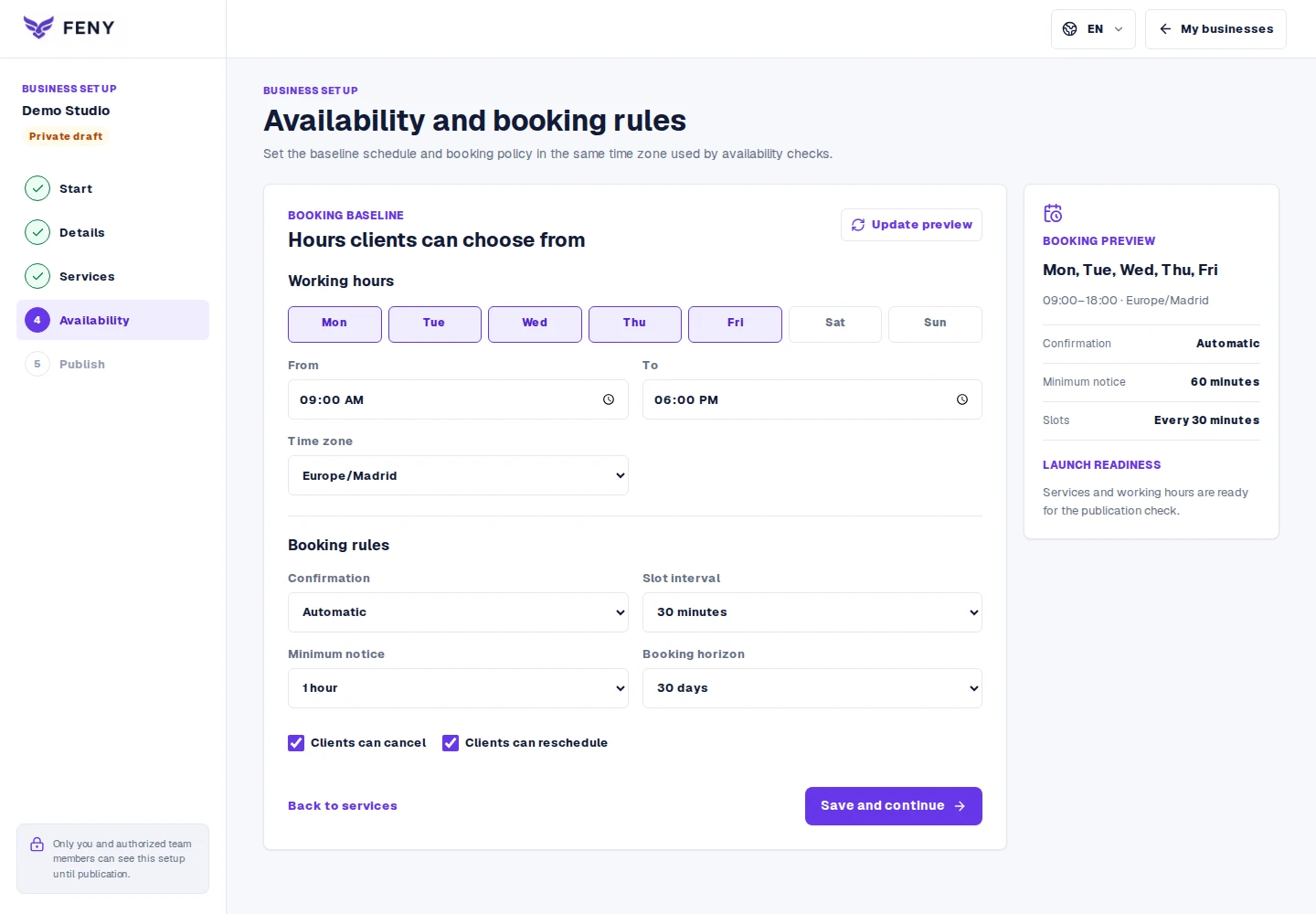
Connect each service to the barbers who perform it. Set their working hours and breaks before publishing availability.
Send the link in your replies and place it on your website. If the client books by phone or message, the team records the appointment in Feny. A chat message alone does not reserve a time.
Actual Feny interface with demonstration data. Open the screenshot to inspect the fields.
From setup to the first booking
A short recording of Feny: select services, review the total duration and choose a time. A demo wellness business is used; no real booking is created.
Sharing the link works without a bot. Automatic conversation-based booking requires a separately configured channel integration; simply entering a phone number on the website does not enable it.
Publish a combined service or let clients select compatible individual services. Test the combined duration and available specialist before sharing the page.
Yes. Start with your own services and schedule, then compare plan limits before adding more team members.
Create a combined service with a confirmed price and duration. It should reserve enough time for both parts.
Record the visit in your working calendar when appropriate. Online availability must reflect occupied time to avoid offering it again.
Let clients choose a service, specialist and available time. Organize staff schedules and appointments in Feny, with a clear booking journey.
Build a public page with your services, team, photos and booking link. Edit the content, review each language and publish when your business is ready.
Keep client details, appointment history and useful notes together. Use Feny to prepare for the next visit and organize everyday client follow-up.
Manage team availability, working hours and absences in Feny. Connect specialists, services and locations to the appointments clients can book.
Manage services, working hours and clients with Feny. Share your booking link and accept appointments online without arranging every time slot by message.
Starter: 2 months free, no card required.
Create my businessReview current plan limits and terms before publishing. Compare plans →