 Feny
FenyThe scheduling problem
Several clients can request the same equipment for overlapping periods. A rental needs a capacity check, a recorded price and a clear count of items still out.
Feny · Booking software by business type
Manage hourly equipment rental in Feny: duration tariffs, quantities, extras and availability. Keep handover and return history with the order.
Starter: 2 months free, no card required.
Included in Starter: up to 3 team members, 25 active services and 1 location.
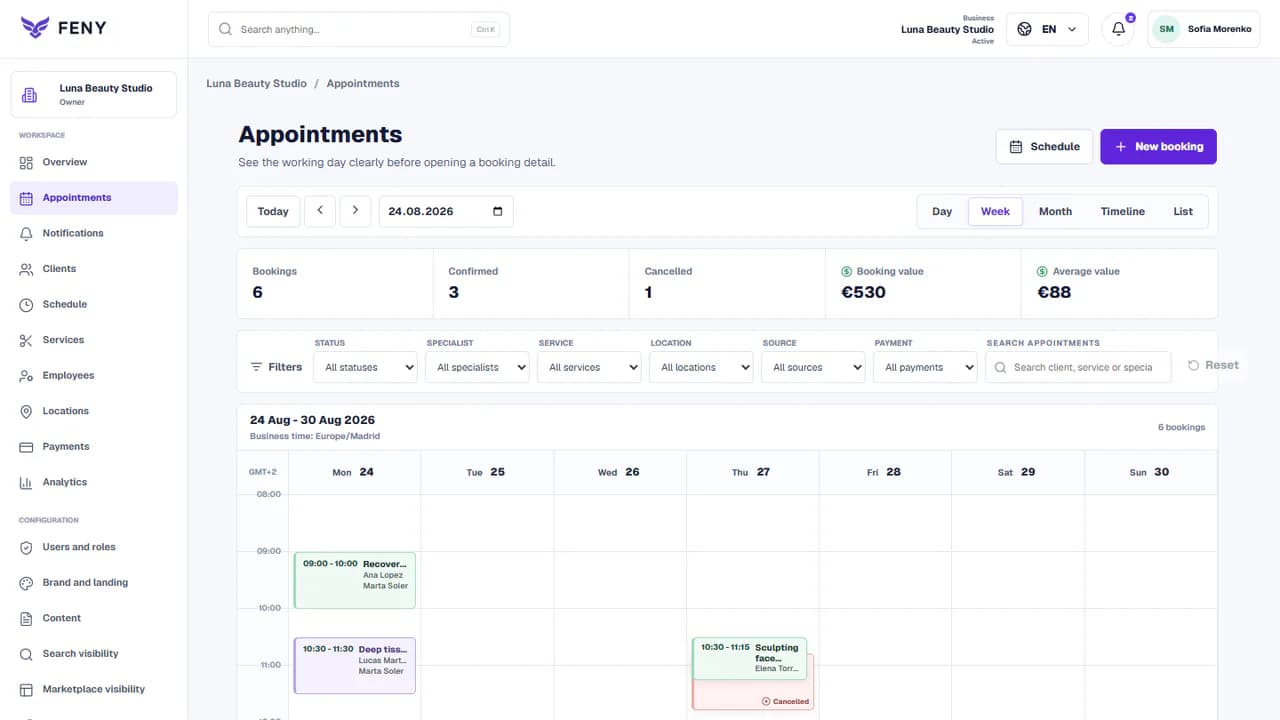
Built around your daily work
Several clients can request the same equipment for overlapping periods. A rental needs a capacity check, a recorded price and a clear count of items still out.
Start with clearly named services: Hourly projector rental, Rental with accessories, and Rental of several units. Set your actual prices and durations; these examples are suggestions, not a ready-made price list.
Example: three identical projectors at one location. Create a resource with that capacity and assign it to the rental service. Use separate resources for equipment that is not interchangeable. Enable hourly rental and define duration-price options, maximum quantity and any extras. Explain collection and return conditions before the client confirms.
Feny in practice
Several clients can request the same equipment for overlapping periods. A rental needs a capacity check, a recorded price and a clear count of items still out.
Worked setup example, not a customer success claim. Durations and quantities below are illustrative; adapt them to your business.
Example: three identical projectors at one location. Create a resource with that capacity and assign it to the rental service. Use separate resources for equipment that is not interchangeable.
Enable hourly rental and define duration-price options, maximum quantity and any extras. Explain collection and return conditions before the client confirms.
Staff record issuance for a confirmed rental and enter the quantity returned each time. The history records the operation, time and team member; a partial return leaves the remainder outstanding.
Actual Feny interface with demonstration data. Open the screenshot to inspect the fields.
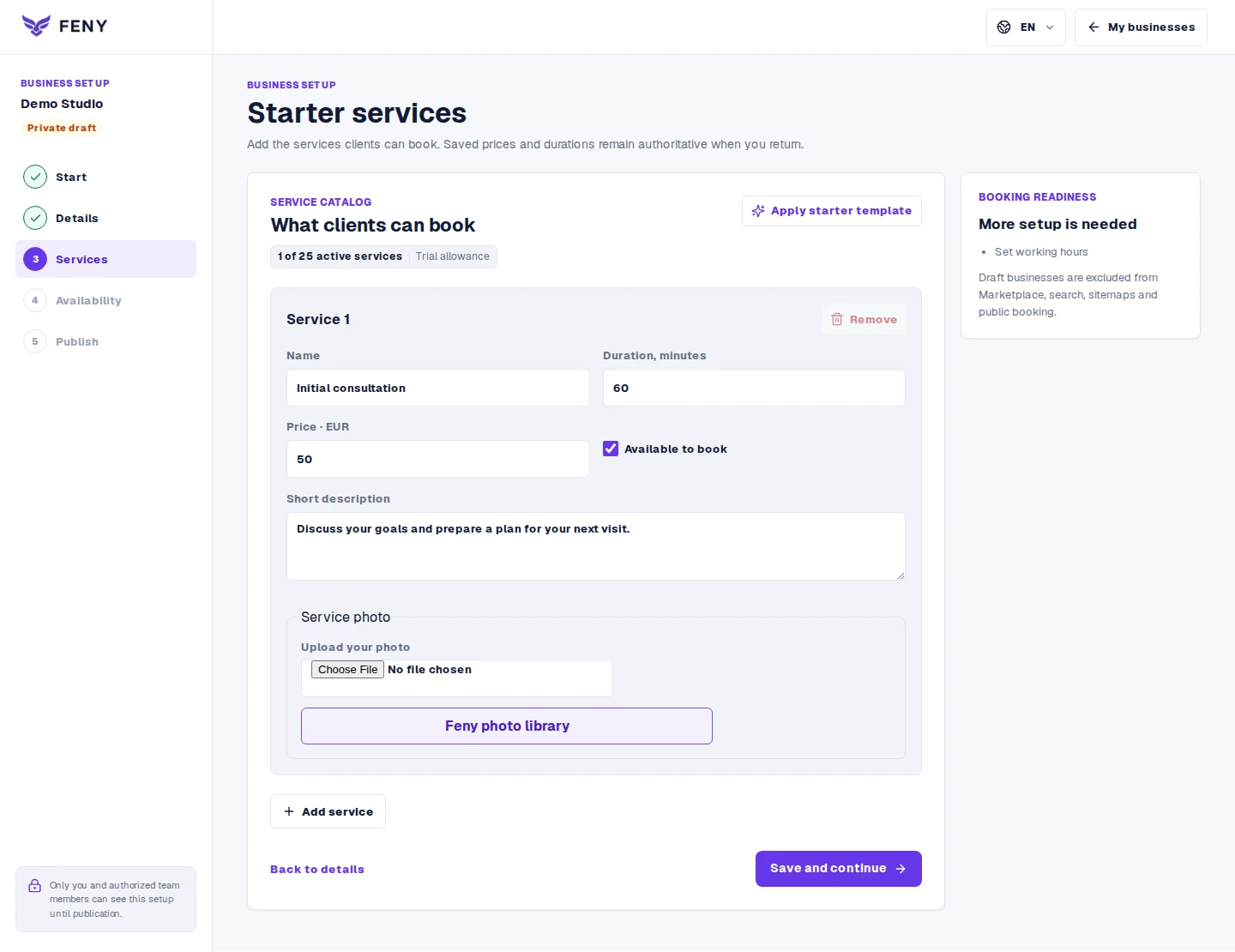
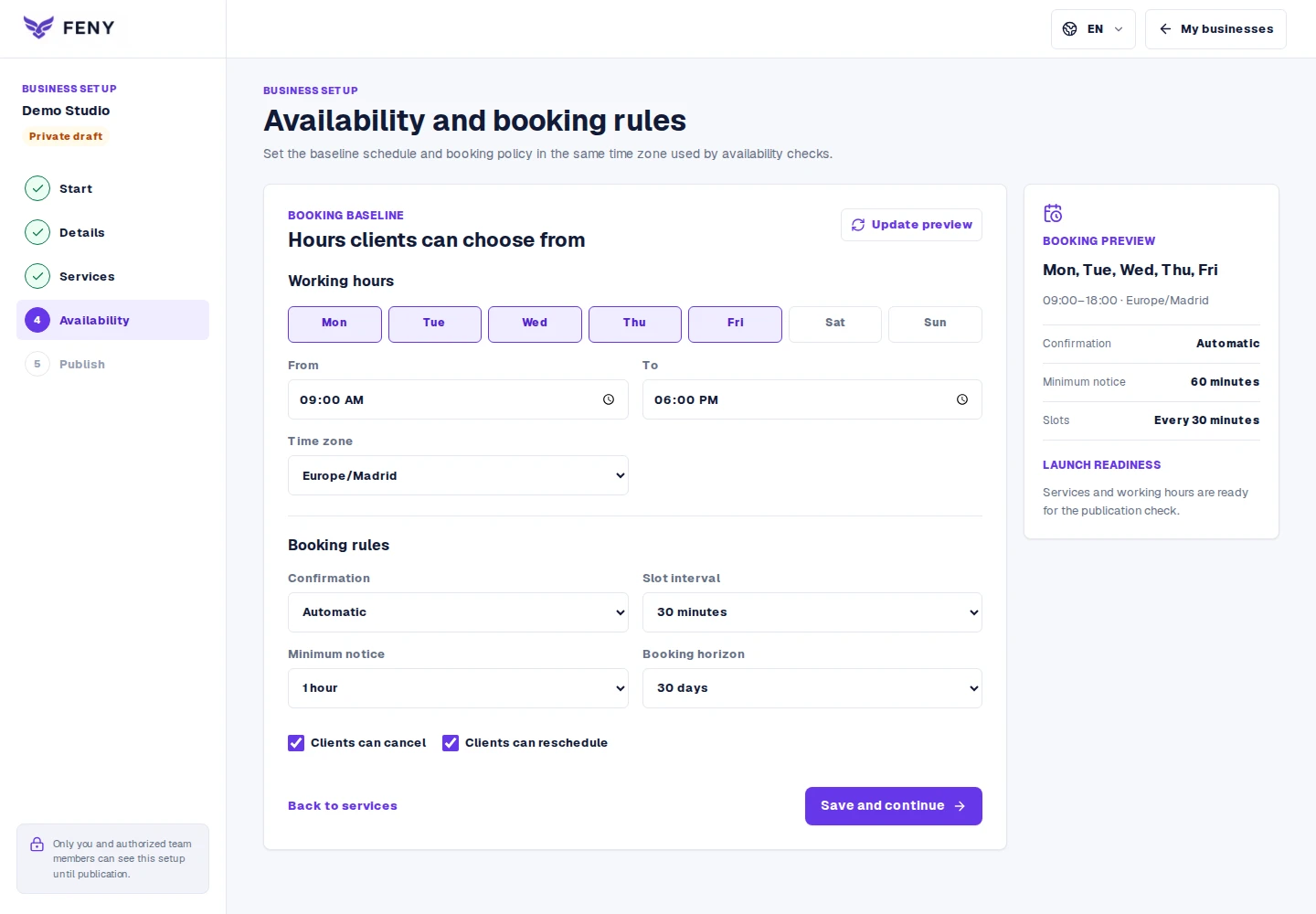
From setup to the first booking
A short recording of Feny: select services, review the total duration and choose a time. A demo wellness business is used; no real booking is created.
The order keeps its rental price snapshot. Review the saved options in the appointment instead of recalculating an old agreement from today’s tariffs.
You can set a refundable security deposit per order or unit and record receipt, refund or a reasoned deduction separately from rental payment. These are records of cash, terminal or bank transactions; Feny does not transfer the deposit online. Damage assessment, signed contracts and multi-day rates remain separate.
Start with clearly named services: Hourly projector rental, Rental with accessories, and Rental of several units. Set your actual prices and durations; these examples are suggestions, not a ready-made price list.
Hourly rental does not include refundable security deposits, damage assessment, signed rental contracts or multi-day rate rules. A booking advance is not a refundable equipment deposit.
Yes. The team can enter appointments in the workspace and keep them connected to the client record. Use the same services and availability rules so offline and online bookings share the calendar.
Let clients choose a service, specialist and available time. Organize staff schedules and appointments in Feny, with a clear booking journey.
Build a public page with your services, team, photos and booking link. Edit the content, review each language and publish when your business is ready.
Keep client details, appointment history and useful notes together. Use Feny to prepare for the next visit and organize everyday client follow-up.
Manage team availability, working hours and absences in Feny. Connect specialists, services and locations to the appointments clients can book.
Starter: 2 months free, no card required.
Create my businessReview current plan limits and terms before publishing. Compare plans →