 Feny
Feny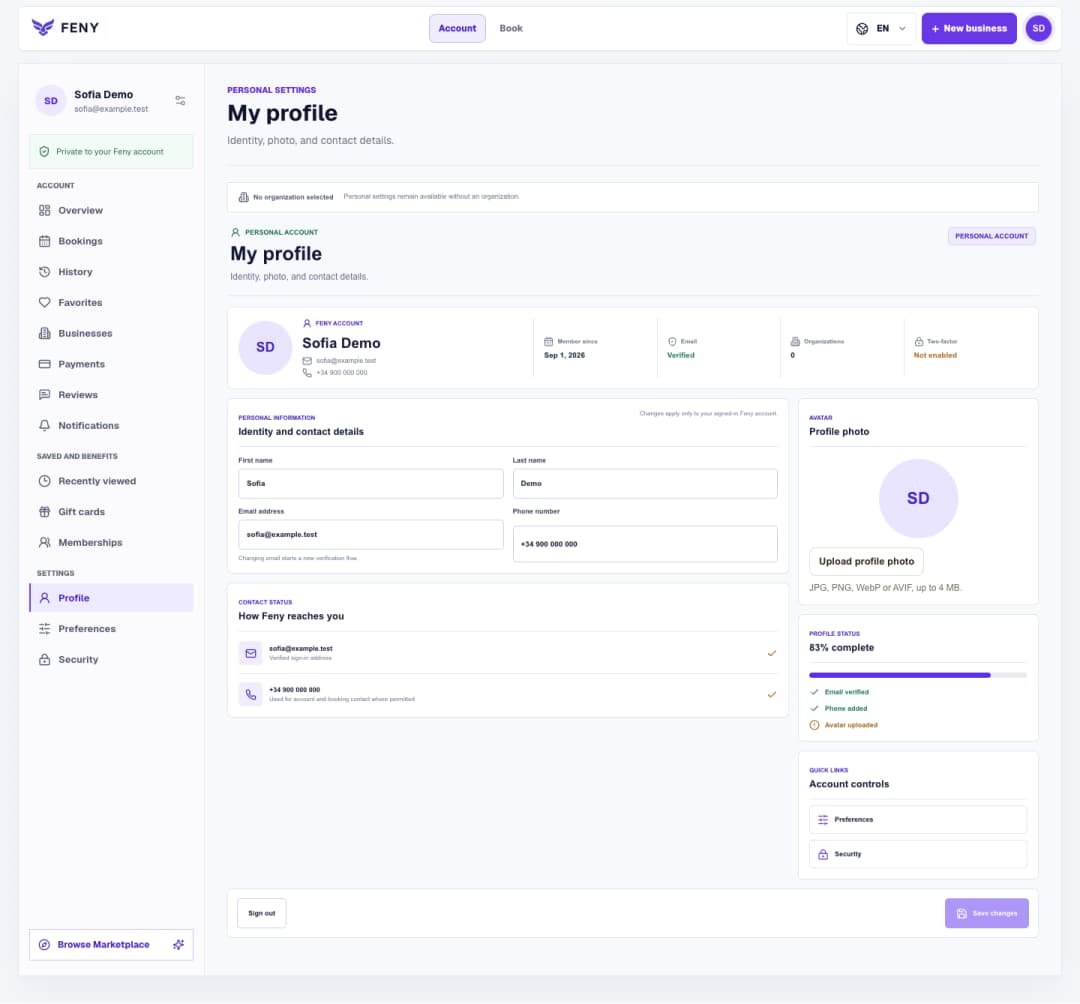
Set up your Feny profile and interface language
Find your personal settings, save contact details and a photo, then choose the language you want to use in Feny.
Read articleChoose working days, a time zone and booking rules, save the schedule, then understand how location and staff availability affect the times clients see.
After adding an active service, open “Availability and booking rules” in the business setup. Its route is /business/{businessId}/onboarding/availability; {businessId} represents your business identifier. This guide covers a private draft. An already published business uses its regular schedule and settings pages rather than this onboarding step.
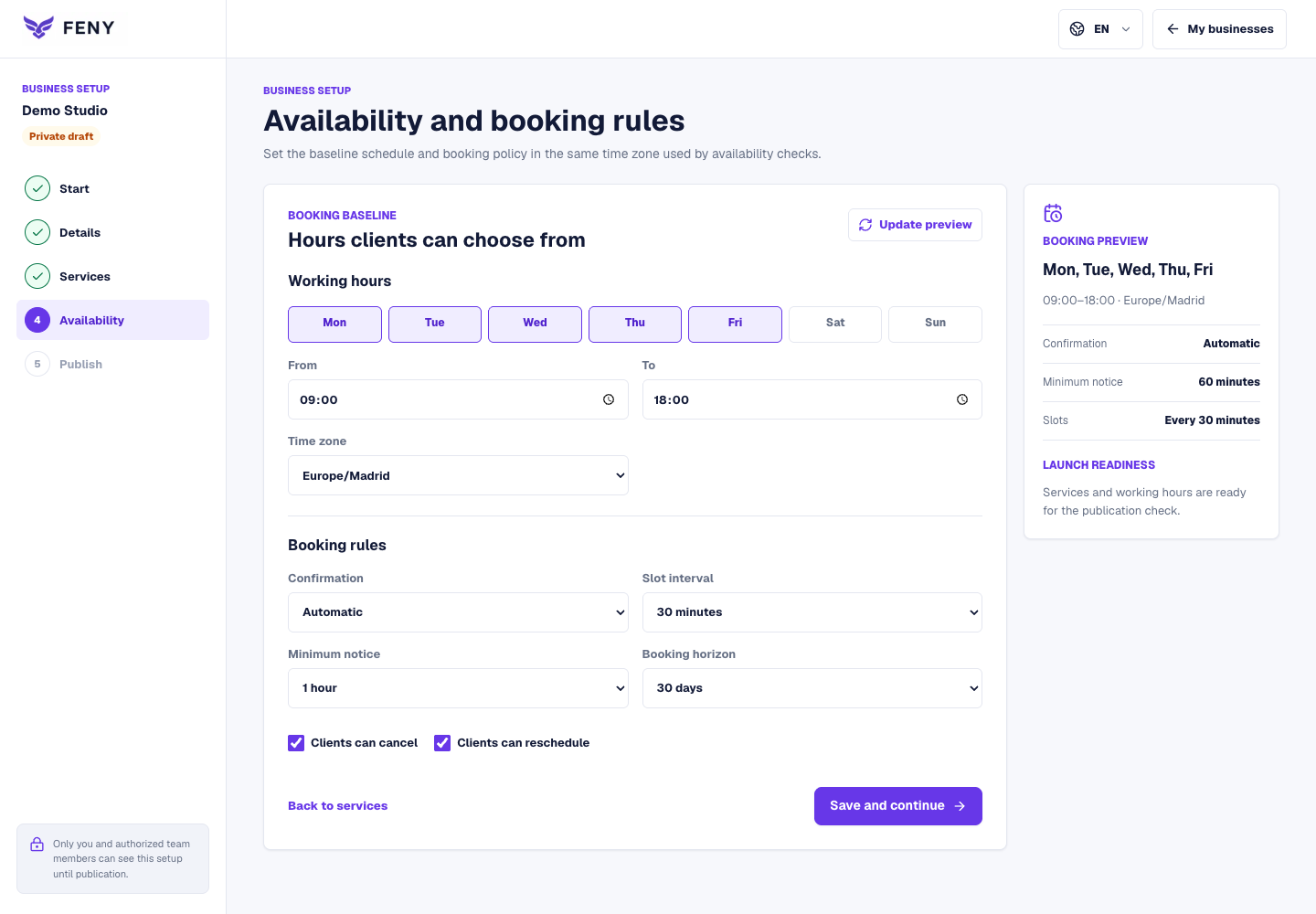
This screen applies one opening and closing time to every selected working day. For example, Monday to Friday, 09:00–18:00 is a starting weekly schedule, not five independently edited days. Leave closed days unchecked. Prepare different daily hours and date exceptions in the schedule workspace when your operation needs them.
Configure the baseline in six steps:
Business hours are the baseline. A location may inherit that schedule or use its own calendar; its time zone also matters. An employee’s weekly hours and date exceptions then restrict the applicable calendar. A date exception takes precedence over that employee’s weekly entry. Staff must also be active, bookable and assigned to the relevant service and location where required.
For example, business hours of 09:00–18:00 do not make a person working 10:00–16:00 available until 18:00. A one-hour service must fit inside the usable interval. A 30-minute slot interval controls possible starting times; it does not shorten that service. Existing bookings, configured buffers and resource requirements can remove more candidates.
Use /business/{businessId}/appointments/schedule for the regular business calendar, /business/{businessId}/employees for the team, and /business/{businessId}/settings/booking for booking rules. Check notice and horizon before assuming a schedule is broken. “Update preview” does not save, and the readiness panel describes saved setup rather than proving every future slot is free.
Related reading
Explore more ways to improve your service and client experience.Find your personal settings, save contact details and a photo, then choose the language you want to use in Feny.
Read article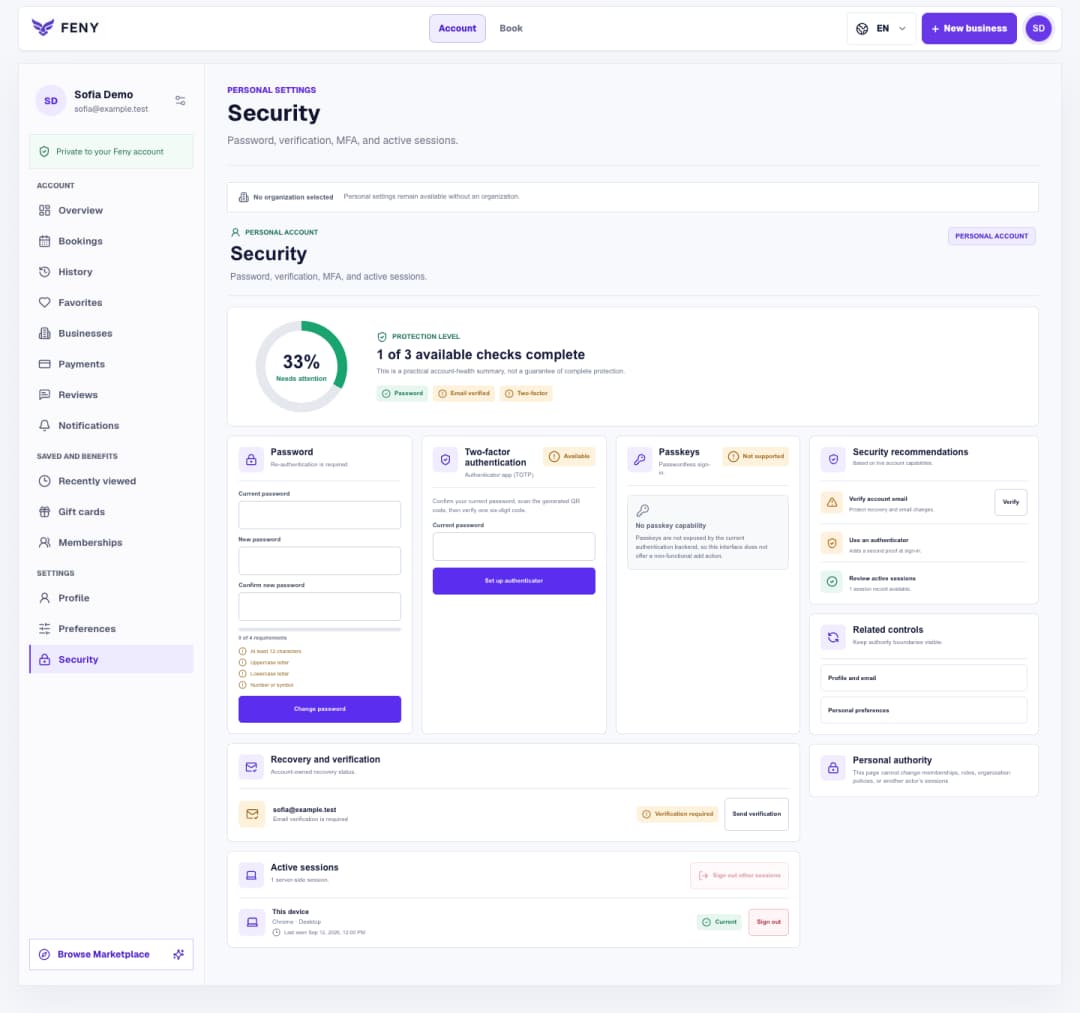
Follow the Security screen step by step to verify your email, manage your password and authenticator, and review signed-in devices.
Read article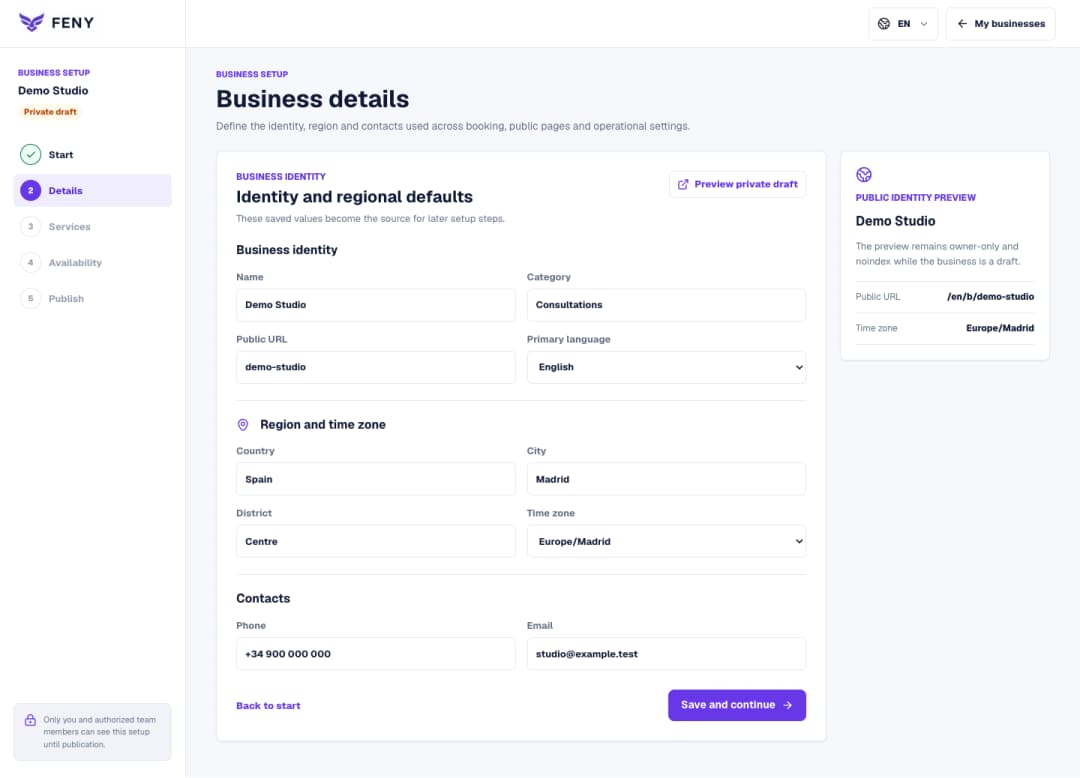
Complete the name, public URL, primary language, region and contacts in the Business details step of your private draft.
Read article